Parser Errors and Warnings
When reVISit parses your study config file, it checks for issues that could prevent the study from running correctly. Errors will stop the parser and must be fixed before you can run your study. Warnings indicate potential problems like unused components or configuration mistakes, but they won't prevent the study from running. Errors are expanded and warnings are collapsed by default.
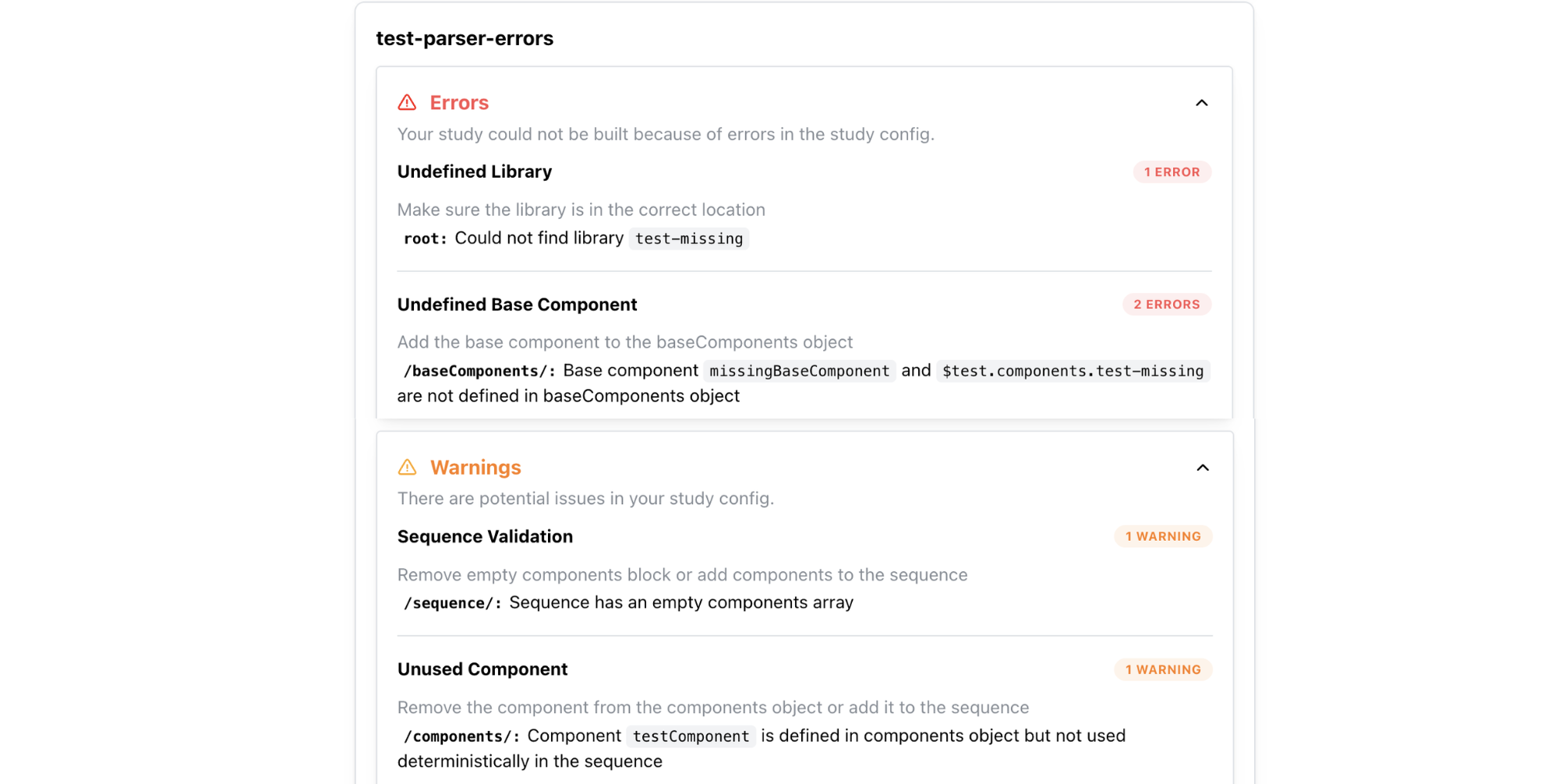
Errors
| Category | Message | Action |
|---|---|---|
| Invalid Config | There was an issue validating your config file | Fix the errors in your file or make sure the global config references the right file path |
| Invalid Library Config | Library config is not valid | Fix the errors in the library config |
| Undefined Library | Library not found in imported libraries | Check the library name and make sure the library is imported correctly |
| Undefined Library | Could not find library | Make sure the library is in the correct location |
| Undefined Base Component | Base component is not defined in baseComponents object | Add the base component to the baseComponents object |
| Undefined Base Component | Base component is not defined in baseComponents object in library | Add the base component to the baseComponents object |
| Undefined Component | Component is not defined in components object | Add the component to the components object |
| Undefined Component | Unresolved path | Make sure the React component exists under src/public/ and that its path is relative to src/public/, not public/ |
| Sequence Validation | Component is a base component and cannot be used in the sequence | Remove the base component from the sequence |
| Sequence Validation | Sequence not found in library | Check the sequence name |
| Sequence Validation | Conditional URL parameter assignment cannot be combined with random or latinSquare sequence ordering | Use fixed ordering when using conditional blocks, or remove conditional blocks |
| Skip Validation | Skip target does not occur after the skip block it is used in | Add the target to the sequence after the skip block |
Unresolved React component paths
ReVISit verifies the path of every react-component, including React components defined in baseComponents or inherited by another component. For example, this configuration expects the file at src/public/my-study/assets/Chart.tsx:
{
  "type": "react-component",
  "path": "my-study/assets/Chart.tsx"
}
If the file cannot be found, the parser reports an Unresolved path error before the study starts. React component files belong under src/public/; most non-React assets, such as images and videos, belong under public/.
Warnings
| Category | Message | Action |
|---|---|---|
| Sequence Validation | Sequence has an empty components array | Remove empty components block |
| Unused Component | Component is defined in components object but not used deterministically in the sequence | Remove the component from the components object or add it to the sequence |
| Disabled Sidebar | Component uses sidebar locations but sidebar is disabled | Enable the sidebar or move the location to belowStimulus or aboveStimulus |
| Default Contact Email | The contact email is set to the default value contact@revisit.dev. Please update it to your own email address | Update the contactEmail field in uiConfig to your own email address |