Participant View
The participant view displays the user data of a study in a table format. It is designed to allow researchers to inspect each record in detail.
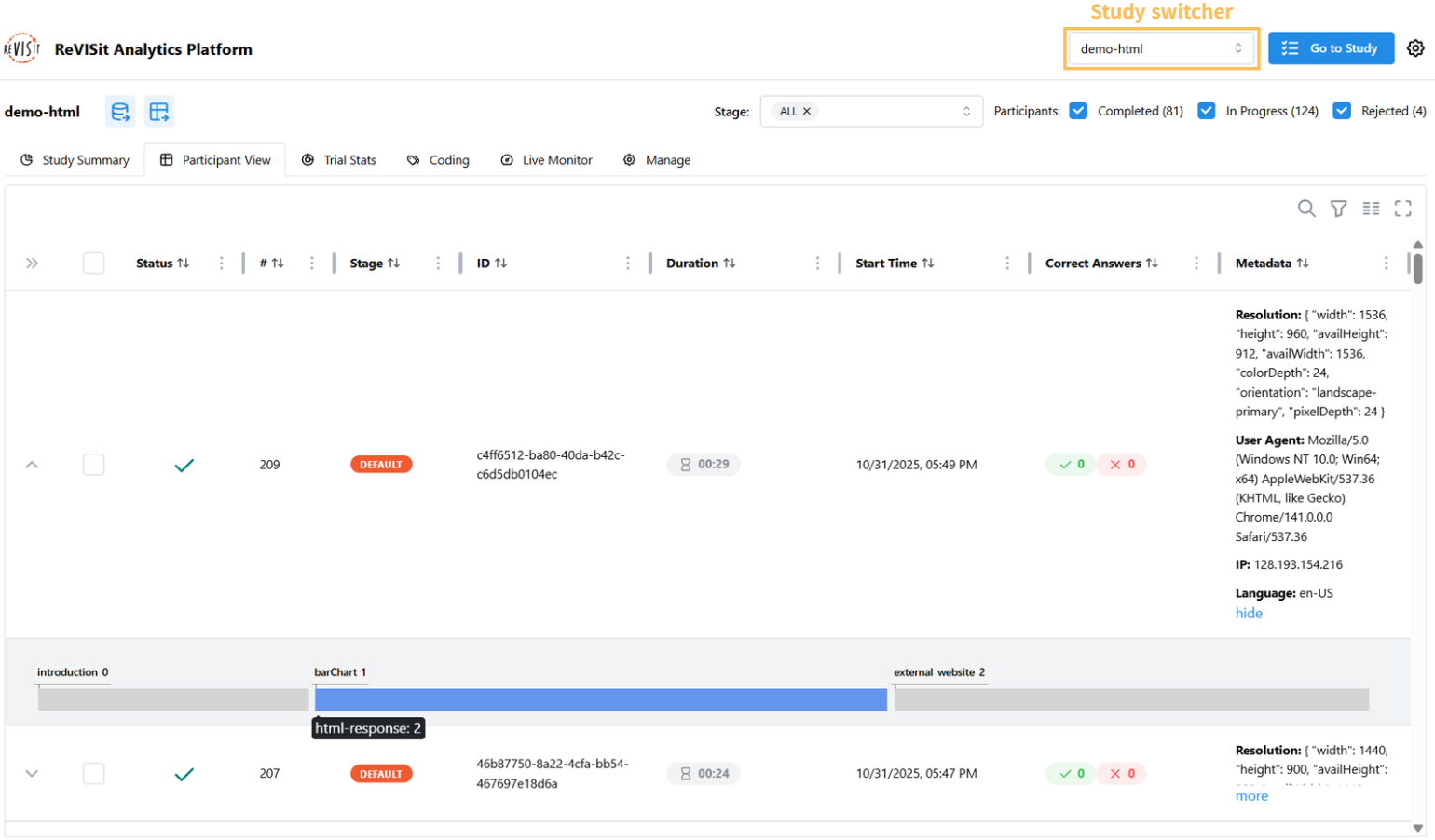
Each row represents a record of a participant in the study. It includes the participant's ID, status indicator, stage, metadata (resolution, user agent, IP address, language), time they spent, and count of correct answers. For each trial, all question IDs and corresponding answers are displayed in the same cell. The time the participant spent on the trial is shown in a separate cell.
Right beside the participant's ID, the green checkmark icon indicates that this participant has completed the study, while the yellow circular icon indicates that this participant is still in progress.
You can quickly navigate to different studies by using the study switcher in the top right corner.