ReVISit 2.4: All About Speed and Stability!
Version 2.4 of reVISit is out – and for once it doesn’t pack a lot of new features. Rather, it’s all about quality of life: we fixed bugs, improved stability, and, most importantly, made the documentation much much better!
We also added a few new things here and there, but they’re just quality of life improvements for supporting studies currently under development by the community.
Should I Update Now?
We recommend that all reVISit users update to version 2.4, since it should provide a better experience to both developers and participants. However, if you have a study implemented in 2.3 that you’ve tested and piloted already and want to run tomorrow, you should probably stick with 2.3. After updating, make sure to run pilots with 2.4 to see whether everything works as expected.
So, let's dive into the details of what’s new in 2.4!
Assigning Conditions via URL Parameters
Even with Latin squares, it can be tricky to get the balance of participants between conditions in a between-subjects design right. To address this, we introduced conditions that can be passed into a study as a URL parameter. Check out the demo and the documentation.
For example, in a study with three conditions, this URL: https://revisit.dev/study/demo-condition?condition=shape will drop a participant in the shape condition. You can see this in the study browser.
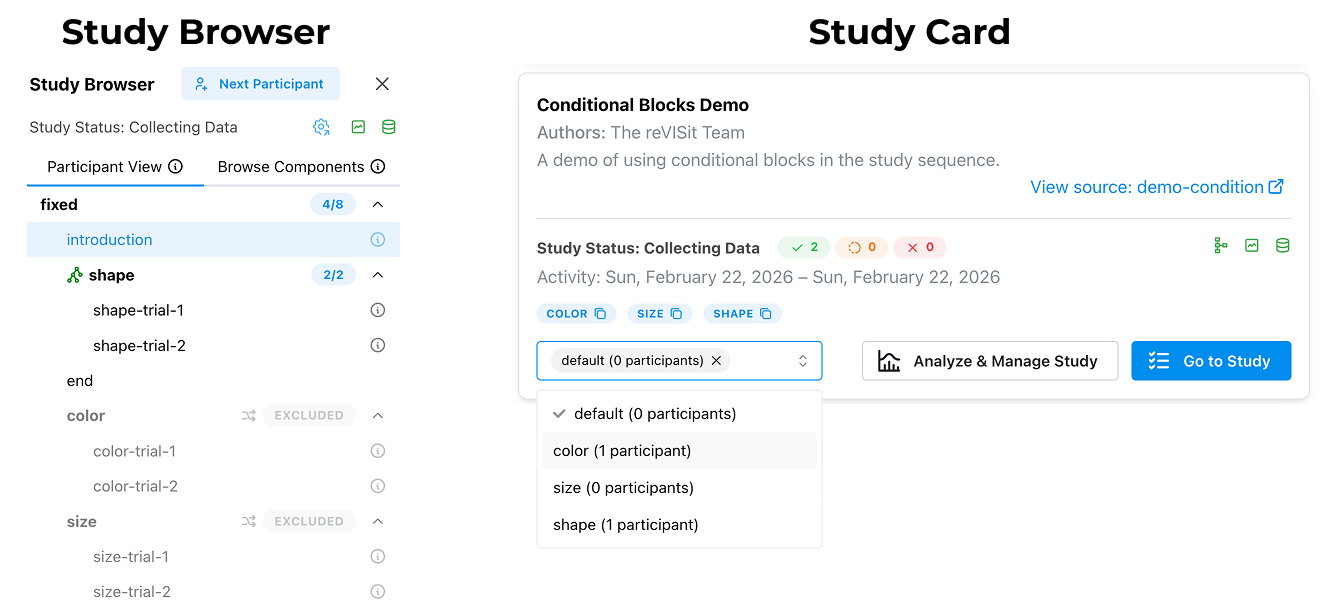
As always, the recorded data will contain the condition information allowing you to easily differentiate between cases in analysis. You can also see all of the defined conditions and jump right into them from the study card, as shown above.
You can define conditionals like this:
{
 "sequence": {
   "order": "fixed",
   "components": [
     "introduction",
     {
       "id": "color",
       "conditional": true,
       "components": ["color-trial-1", "color-trial-2"],
       "order": "random"
     },
     {
       "id": "shape",
       "conditional": true,
       "components": ["shape-trial-1", "shape-trial-2"],
       "order": "fixed"
     }
   ]
 }
}
The key additions to get this functionality are the conditional flag and the id key. Make sure to make your ids unique!
With this feature, you’ll be able to use dedicated links to recruit participants for each condition (for example, using two different Prolific studies), and keep recruiting until you have reached the desired number of participants for each.
You can also assign multiple conditions at the same time, like this: https://revisit.dev/study/demo-condition?condition=color,size
Include the Same Component Multiple Times
Sometimes you want to include the same component multiple times in your study. For example, you might want to measure task load after each task. This wasn’t possible in reVISit yet (you could hack it by using inheritance). Now, however, that’s easy to do: just include the same component multiple times. For example, if you include a component nasa-tlx after each task, you’ll have access to nasa-tlx-1, nasa-tlx-2, etc, in the data.
Changes to How Library Components are Included
We previously supported referring to components of libraries as $libraryName.co.componentName as well as $libraryName.components.componentName, and similarly used .se or .sequences for sequence. The shorthand is now deprecated; new studies should only use .components and .sequences.
Performance
We have virtualized our study browser so that it does not render information for every possible study component at once. For studies which had large amounts of components (think 1000+) this was causing slowdowns during development.
We have also fixed a number of small bugs that impacted performance, especially for studies which contained large amounts of provenance data. Such studies should see a significant participant facing performance improvement in 2.4.
Testing
A key focus of this update has been to improve the robustness of our infrastructure. Previously we had focused on using integration level tests using the playwright test framework. With this update we added more than 300 unit tests, which improves the quality of our tests, makes the run faster, and more specifically.
Better Errors and Warnings
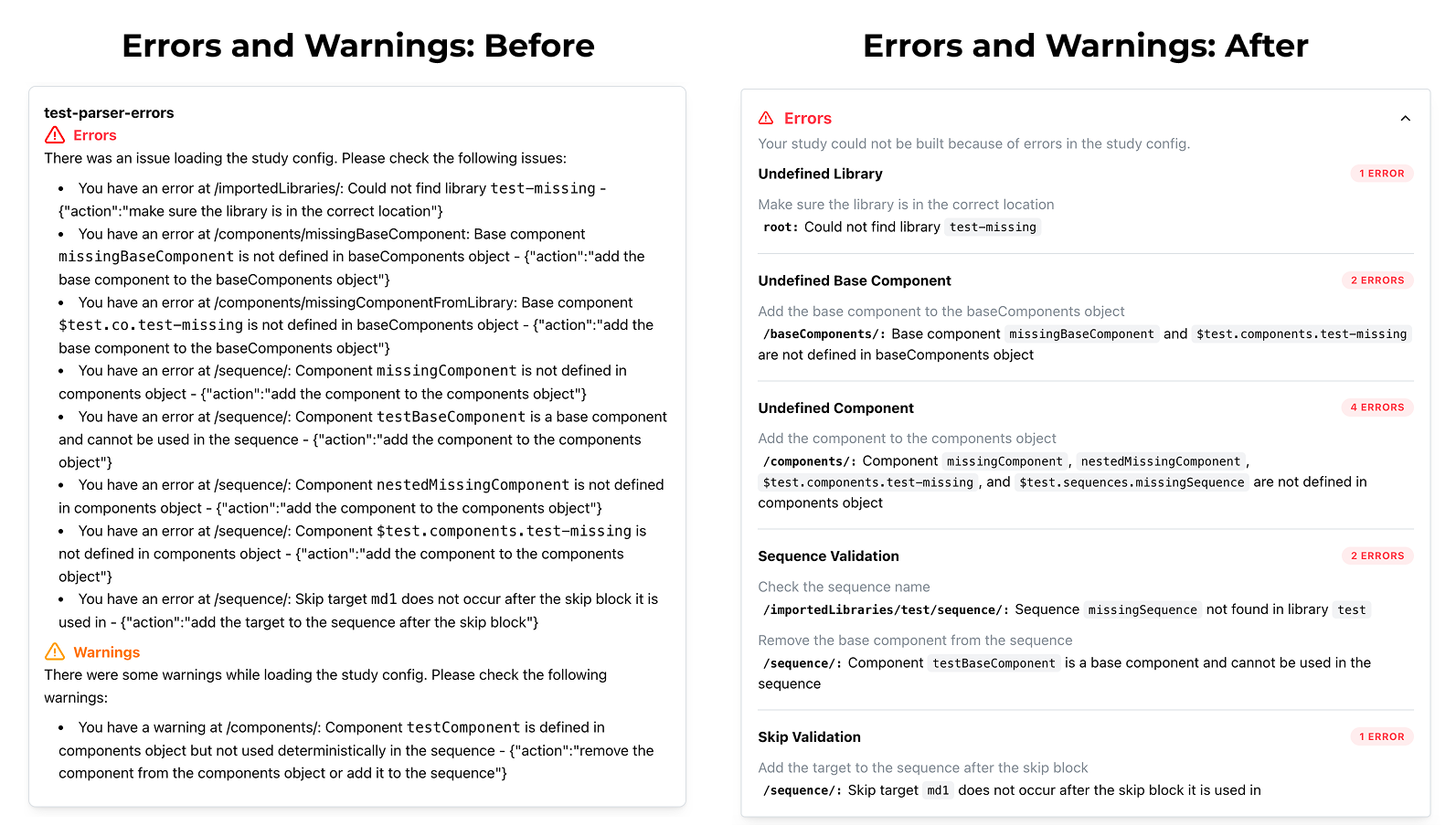
Good error messages are essential for the development experience, so we’ve improved how errors and warnings for specification problems look:
Bug Fixes and Updating
With this release, we closed over 80 issues on GitHub. For details on the bugs that were fixed, take a look at the release logs.